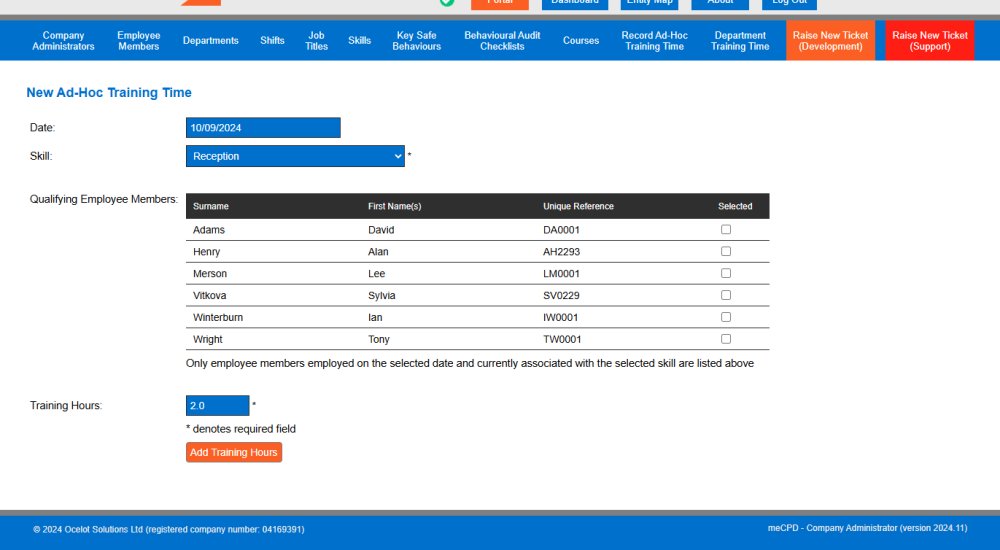
There are three routes to adding training to the meCPD system. Ad-Hoc training allows historical training to be rapidly added to the system, ensuring existing training qualifications are valid when setting your initial environment within meCPD.
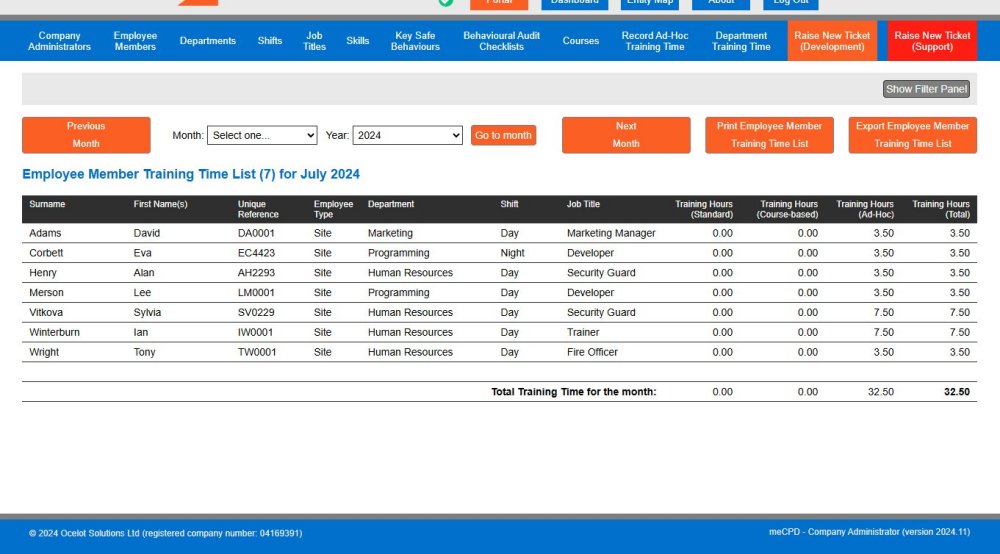
Ad-Hoc training record summaries can be viewed on a month-by-month basis from an employee member or department viewpoint. As is standard throughout the meCPD system, such reports can be filtered, printed or exported to PDF/Microsoft Excel.
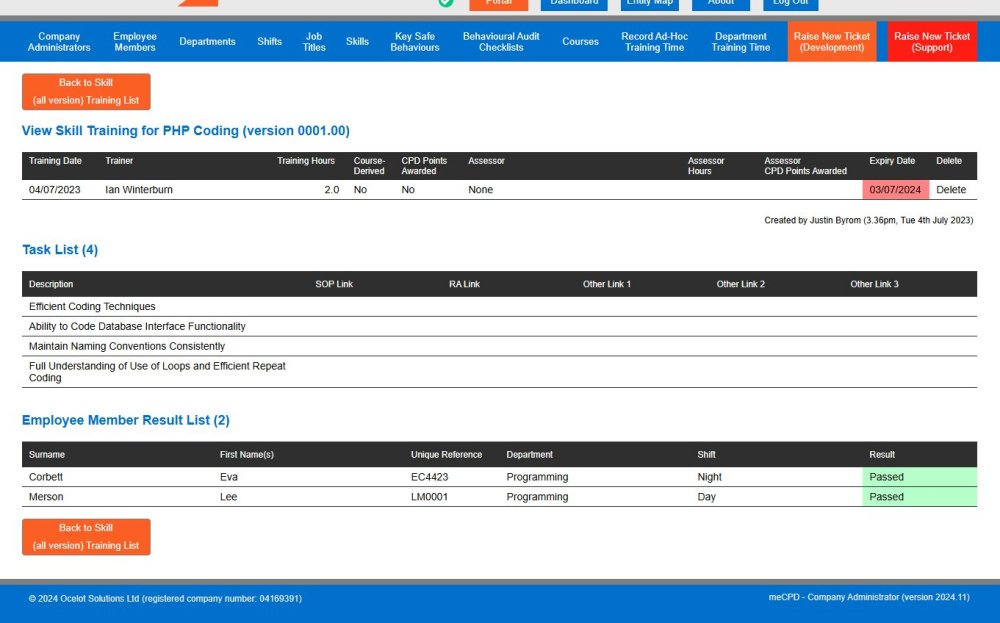
Skill-based training is one of the two standard routes to adding training to the meCPD system. When adding an instance of skill-based training, it is possible to specify the training date, the trainer, whether CPD points are awarded, any expiry/refresher date of the qualification and most importantly which employee(s) attended the training along with their result.
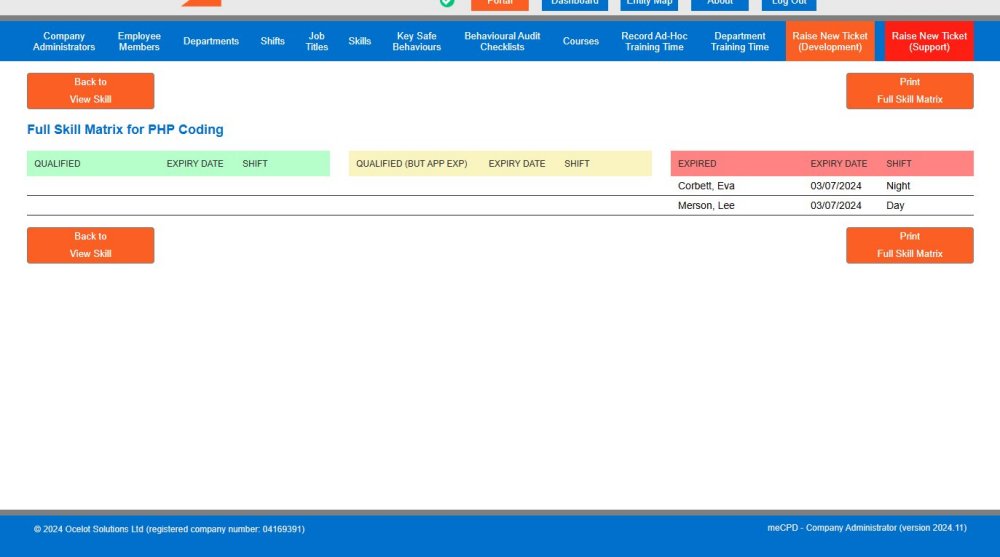
The meCPD system has matrix functionality to quickly view who is qualified, who is approaching qualification expiry and optionally whose qualification has expired for a specific skill. The image below illustrates the two employees whose qualification has lapsed in the above example. As well as being printable, skills matrices are a great method for analysing skill qualification and potential upcoming training requirements accordingly.
A skills matrix for all active skills can also be viewed for each employee, building a powerful training management tool at the touch of a button.
Course-based training is the latter of the two standard routes to adding training to the meCPD system. Course-based training requires courses to be pre-assembled (such as course location, length, qualification period, associated skills being trained and training documentation), prior to creating a course event.
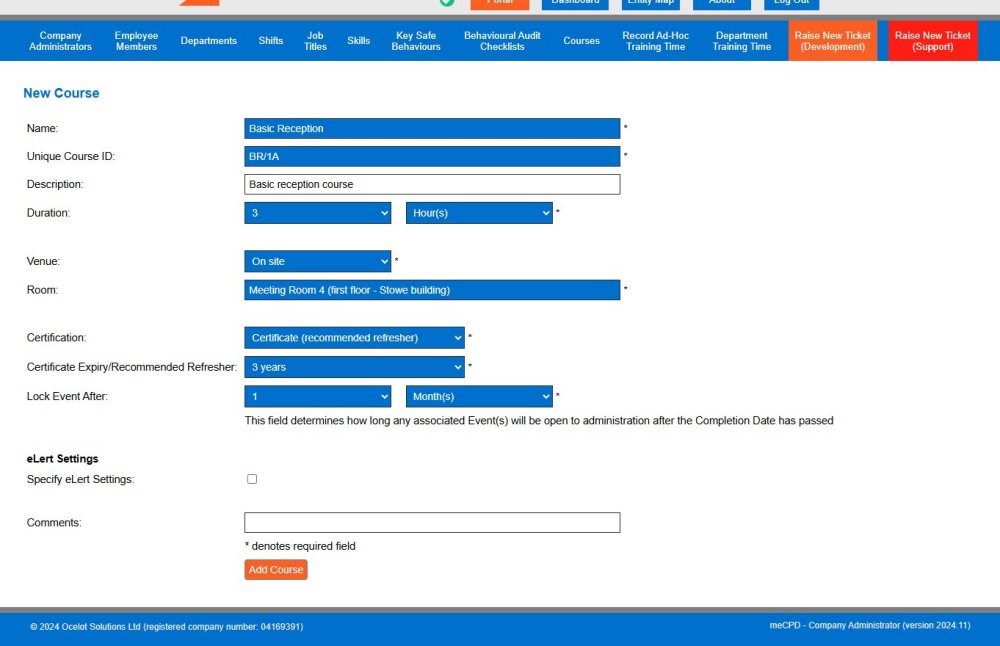
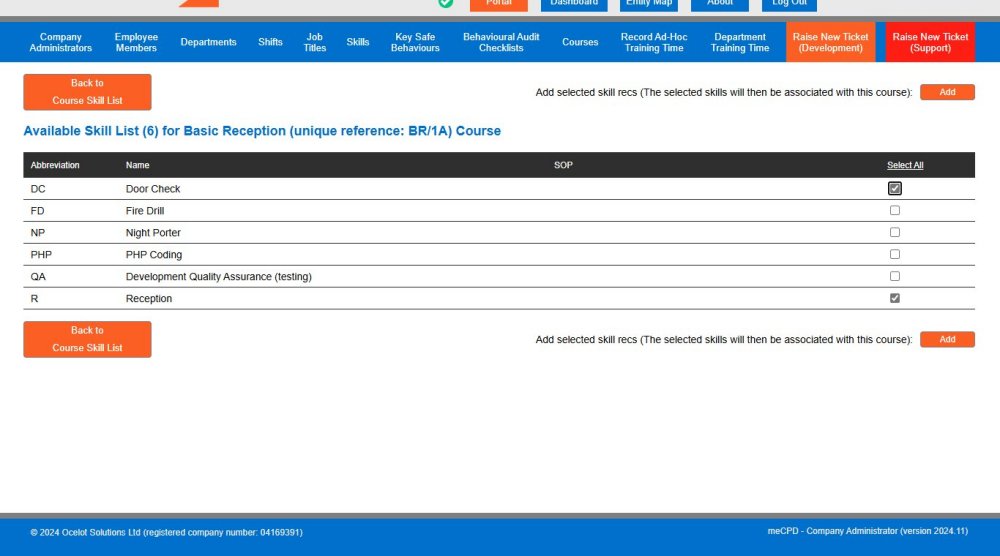
After the initial course instance is created, the next step is to assign the skill(s) which will be trained. Once this step is complete, the course can be used over and over again without re-entering this information.
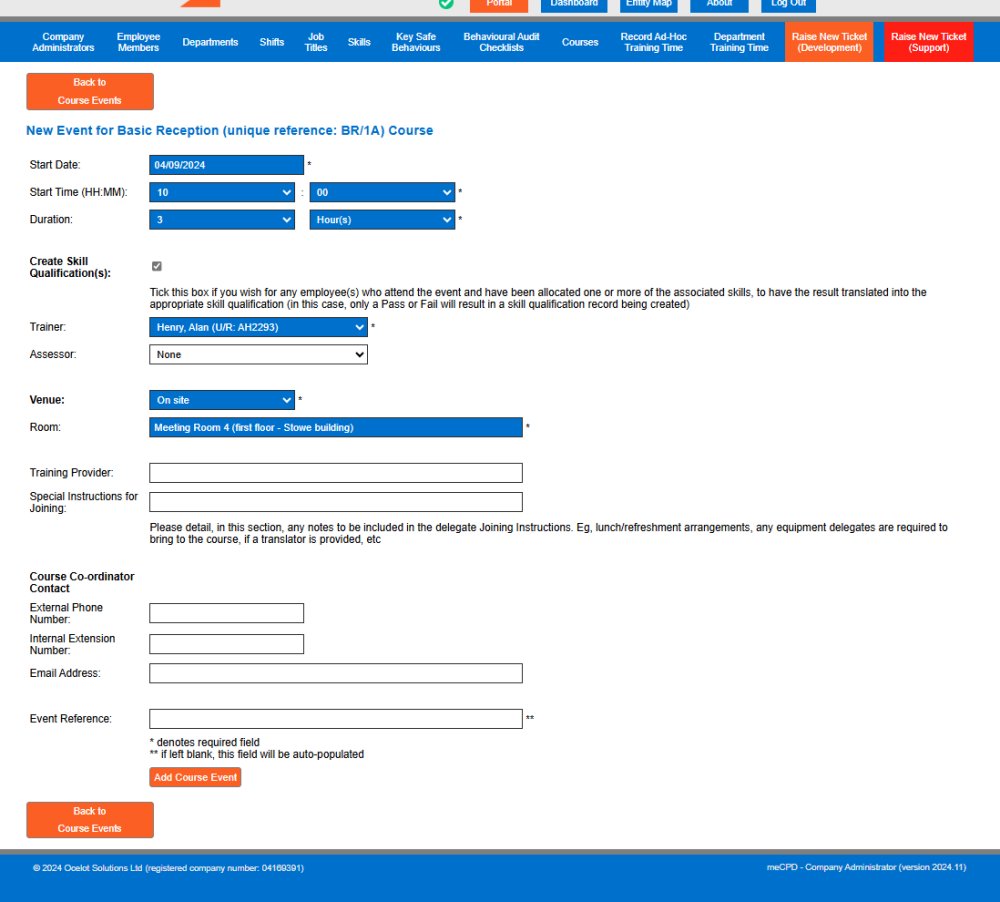
Creating a course training instance now requires only two steps. First, the course event is created as follows...
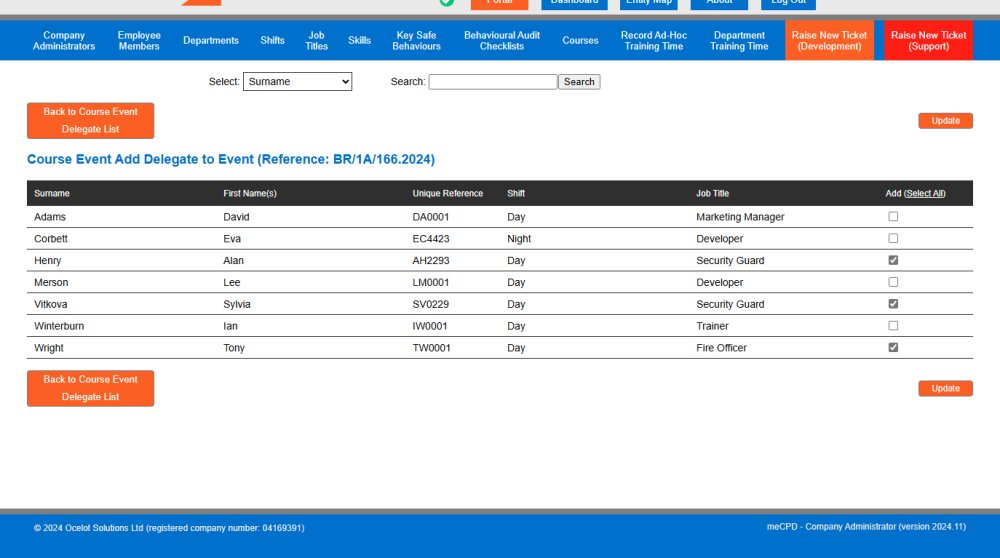
The second step is to select the delegate(s) who will be attending the course event.
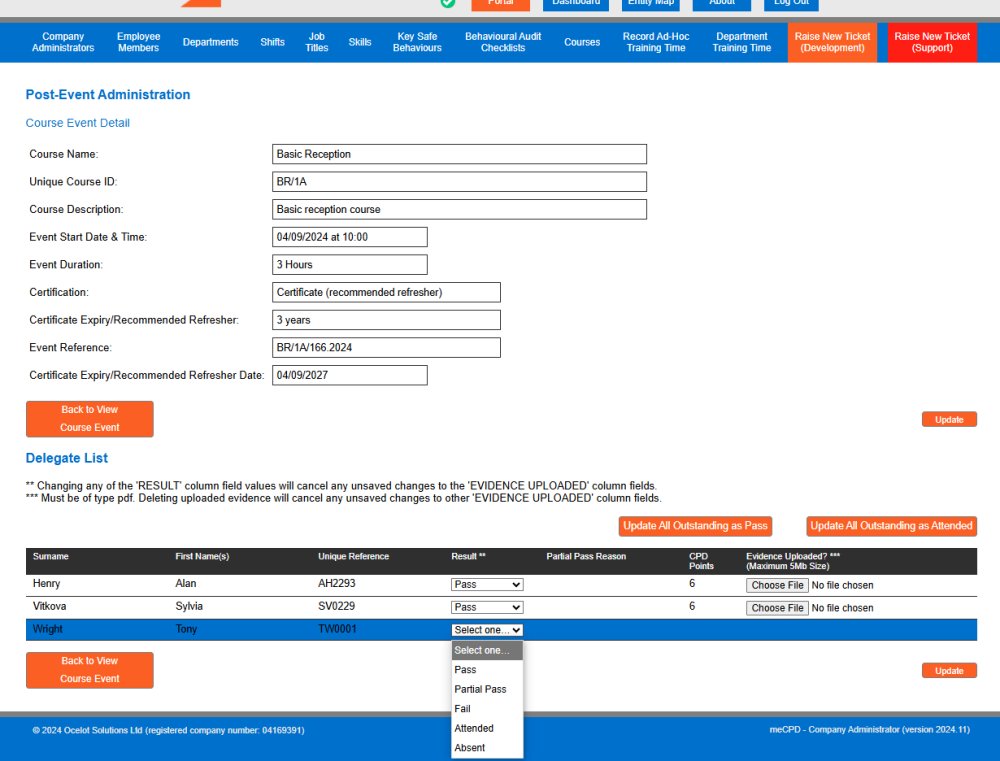
Once the course event is complete, it is then possible to enter the results of each of the delegates, including any evidence which might be required. Notice that CPD points are allocated accordingly, based on system settings.